With your uploaded documents, they’re not renamed but they are easily accessible. When it comes to things suhh as your year end, what you should focus on is the inputted figures rather than the documents content (although it’s also important to have a full copy of any supporting documents - back and front).
You can export your accounts by going to Chart of Accounts > Export data

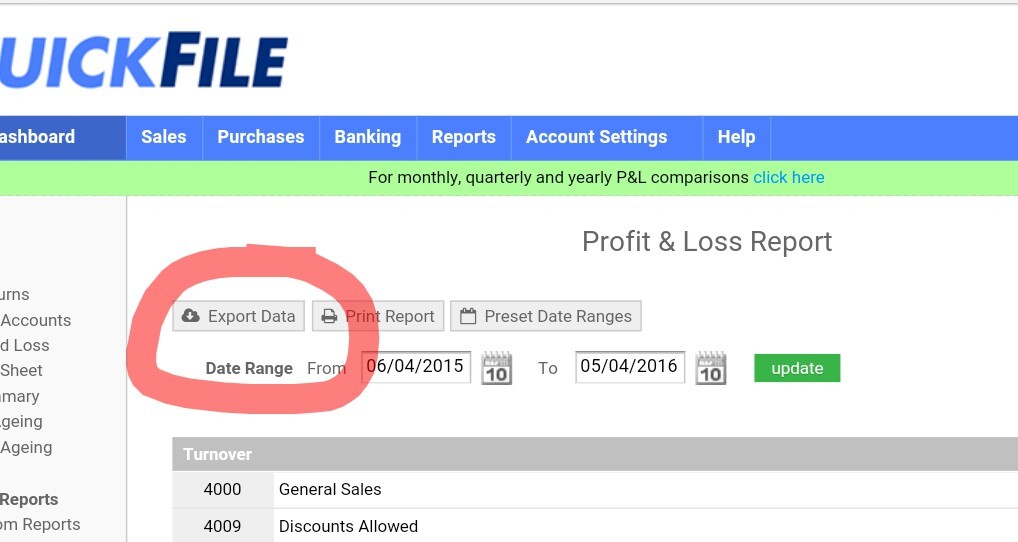
Or if you’re after just the profit and loss report for example, these also come with an export option
What you need to do at year end is run the ‘year end tool’, which prepare your accounts. What it doesn’t do however is prepare a final set of accounts, but your accountant would be able to do that for you.
If you haven’t already run that tool, information on it and how to use it can be found here:
Lastly, if your accountant needs access to your account, you can create them as a team member (under Account Settings). However, accountants should be using our Affinity platform, which is specifically designed for them. It may be worth pointing them towards this feature, as it could make things easier for both of you. More details are available at http://affinity.QuickFile.co.uk
I hope that helps!